Metal GPU rendering
render · gpuTriple-buffered SDF, text and image renderers; GPU completion overlaps CPU layout.
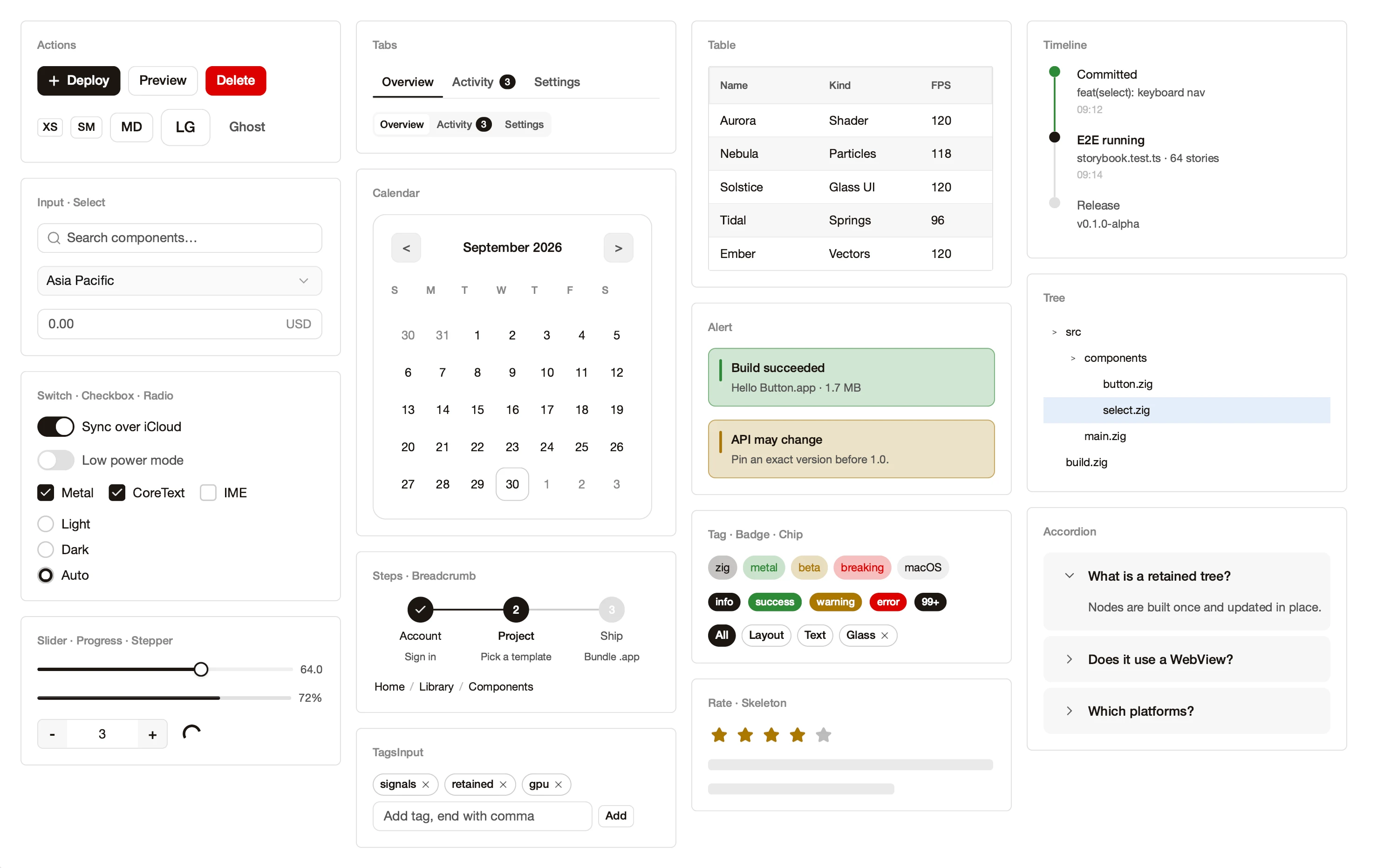
A high-performance GPU UI framework for Zig. Signals, style recipes, flex / grid and DevTools feel like the web; Metal rendering and a complete text and IME path ship a native app. A ReleaseSmall Hello Button.app is 1.7 MB.
The complete source of examples/hello_button/main.zig, and the .app it compiles to. The window footage is recorded by the E2E harness, clicking the button three times in the real window.
const std = @import("std");const ui = @import("ui");const App = @import("zenit_app").App; /// 样式表:具名纯函数 + 应用层自定义 recipe,与业务逻辑分离。const S = @import("styles.zig"); const Counter = struct { n: u32 = 0, label: ?*ui.Node = null, buf: [32]u8 = undefined, pub fn increment(self: *Counter) void { self.n += 1; const node = self.label orelse return; const content = std.fmt.bufPrint(&self.buf, "Clicked {d} times", .{self.n}) catch return; if (node.getText()) |old| { var t = old; t.content = content; node.setText(t); } node.markRenderDirty(); }}; fn mountUI(cx: *ui.Cx, scope: *ui.Scope) anyerror!*ui.Node { const allocator = cx.allocator; const counter = try cx.bindState(Counter, .{}); const click = cx.on(Counter, counter, Counter.increment); const root = try ui.boxStyled(cx, S.root, .{}); try root.appendChild(allocator, try ui.textStyled(cx, S.title, "Hello, zenit!")); try root.appendChild(allocator, try ui.widgets.Button(.{ .label = "Click me", .variant = .primary, .size = .md, .on_click = click, }).mount(scope, cx)); // 应用层自定义 recipe(styles.zig 的 PanelRecipe)包住计数文本 const panel = try ui.boxStyled(cx, S.panel(.highlight), .{}); const label = try ui.textStyled(cx, S.counterLabel, "Clicked 0 times"); try panel.appendChild(allocator, label); try root.appendChild(allocator, panel); counter.label = label; return root;} pub fn main() !void { var gpa = std.heap.GeneralPurposeAllocator(.{}){}; defer _ = gpa.deinit(); const app = try App.init(gpa.allocator(), .{ .window = .{ .width = 640, .height = 480, .title = "Hello Button" }, }); defer app.deinit(); try app.runWith(mountUI);}zenit-ui-dev is an Agent Skill distilled from the zenit framework and from the history of a production macOS editor built on it: component choice, the three styling layers, Signals, native integration, screenshot self-checks, and dozens of entries that each give a pitfall, its cause and the fix. Drop it in ~/.claude/skills and your agent loads it whenever it writes zenit code.
~/.claude/skills/zenit-ui-dev/ Pencilpen.dev
We recommend designing in Pencil and letting your agent build it with this Skill. Flex layout, spacing, radii, type sizes and lucide icons in a .pen file sit close to zenit’s model; the Skill includes a field mapping and a design_diff tool so the agent ports by the numbers rather than by eye.
No WebView, no virtual DOM. The UI tree emits a flat DisplayItem list consumed directly by the Metal renderers.
render · gpuTriple-buffered SDF, text and image renderers; GPU completion overlaps CPU layout.
Signal · Memo · createEffectNo tree rebuilds, no diffing. A dependency reaches exactly the nodes that read it.
text · text_coreUnicode 17, UAX #9 bidi, UAX #29 grapheme boundaries, and end-to-end preedit / commit.
ui.devtools · harnessSemantic locators, a virtual cursor, Retina screenshots and drawable-level MP4. DevTools included.
Platform, rendering and text live below. The boundary is enforced at build time: a forbidden import fails to compile.
The Debug-build target for basic interactions, including scrolling, cursor movement and typing in virtual lists with tens of thousands of rows. M-series Apple silicon.
layout_isolation boundaries cut dirty cascadesgit clone https://github.com/version-next/zenit.git cp -R zenit/templates/minimal-app ./myapp
Ships with build.zig, build.zig.zon and src/main.zig.
zenit.attach(zenit_dep, exe);
One call wires ui, zenit_app, the native bridges and frameworks.
zig build run
zig build app
Run directly, or produce a double-clickable macOS .app.
0.1.0 is the first public release, but the API can still change before 1.0. Pin an exact version; every breaking change is recorded in MIGRATION.
Most of zenit’s code, docs and tests are written with AI coding agents. Architecture, review and acceptance are done by a person. Because of that we don’t take “it compiles and looks right” as evidence. CI runs about 2,700 deterministic tests, an allocation-failure campaign that fails every allocation in turn, tests on a real Metal device, real-window E2E with pixel comparison, and module-boundary checks. If you find a bug or a design problem, please open an issue: concrete reports are the most useful thing you can send.
Existing projects from the community, recorded in real windows.
 0:18CommunityCode IDE (native)Wired to a real TypeScript language server: completions as you type, signature help and hover docs. The completion list, the popovers, the editor and the minimap are all drawn by zenit on the GPU.
 1:09CommunityWYSIWYG Markdown editorA complete native document editor: lists, checklists, quotes and multi-level numbering take shape as you type, and tables, flow diagrams, code blocks and screenshots all live in the same document. No Electron, no WebView: every pixel is drawn by zenit.
 2:22CommunitySynth course & piano roll (native)Learn synthesis while you design sounds: a built-in course walks through filters step by step, and every knob drives a live filter curve, envelopes and spectrum. Then write the song in a 7-track piano roll. Every note is voiced by the app’s own synth. Click to watch with sound.
Partners are already building an infinite-canvas design tool, a code editor IDE, a video downloader… One set of nodes, styles and native capabilities, carrying very different products.
Zoom, drag and multi-select on the GPU, with liquid-glass chrome floating over the canvas.
Virtualized large files, a full IME path, multi-window palettes and native menus.
Background jobs with live progress, and finished files dragged straight into Finder.
The framework is open-ended. Start with one window and build the Mac app you have in mind.
Start buildingDesigner or developer: if a dropped frame, a caret one tick late or an easing curve that feels off bothers you, you are who we are looking for. Help us make zenit faster and nicer to use.